Case Study 07: IT Skills Game
IT Quest
Guessing does not pay
 Open the interactive demo
01: ANALYSIS
Three kinds of everyday IT thinking, each with its own interaction.
- Task analysis
- Everyday IT asks three different things of someone who is not an IT specialist: judging whether a message is safe, reading a symptom back to its cause, and recognising the parts people talk about. Each became its own module with its own decision: safe or threat, which fix, which part.
- Constraints
- Browser-only, no install and no account, so it can be opened from a link and played in one sitting.
- Learners
- First-year college students in an introductory IT course. Beginners, so the course starts from what a beginner needs to know, not from what an IT specialist would assume.
- Source check
- Every figure the game quotes had to survive a source check against the 2026 Verizon Data Breach Investigations Report or a University of Illinois field study. Figures that could not be sourced were cut.
- Remember
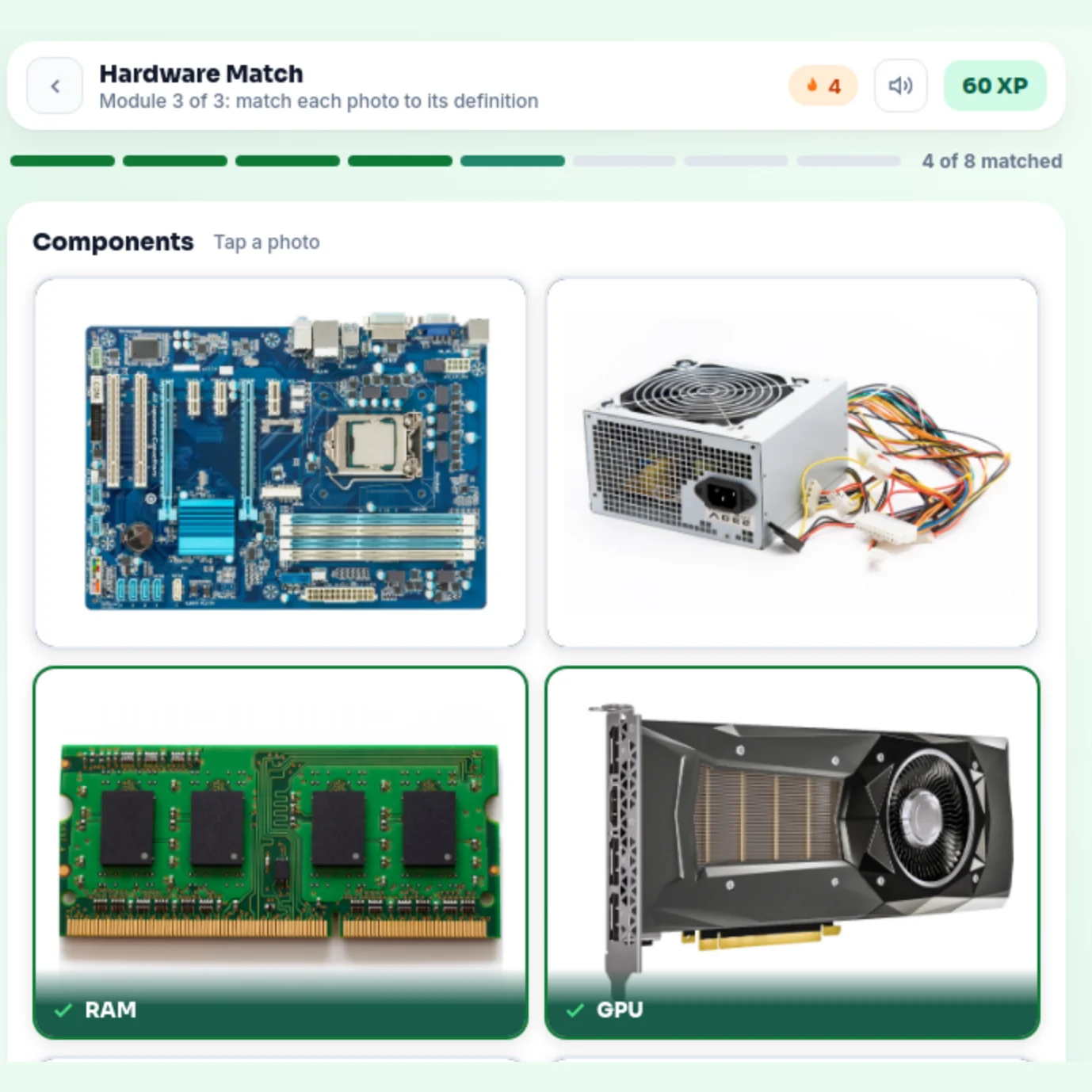
- From a photo, the learner matches each of eight common components to what it does.
- Analyse
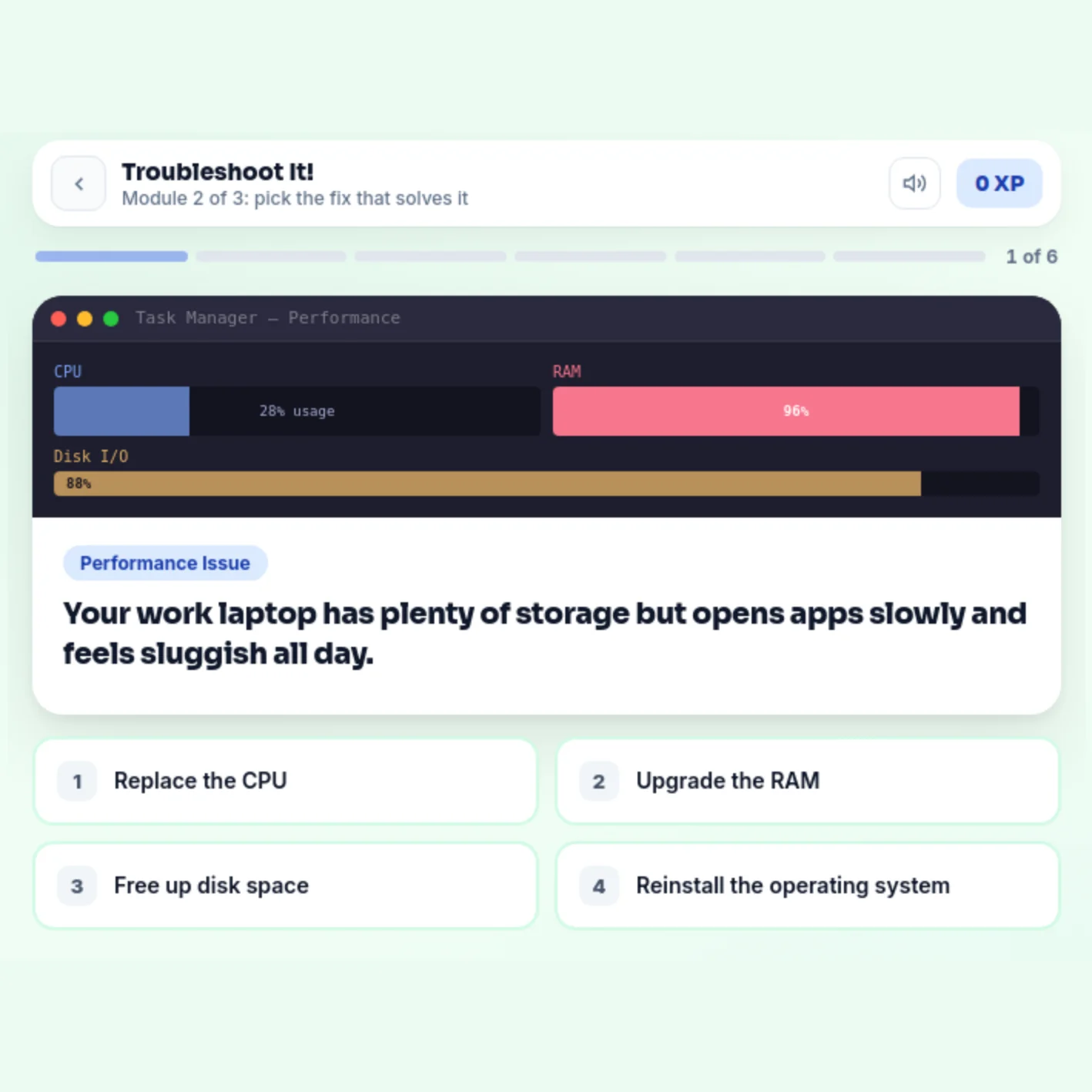
- Given a symptom and a system readout, the learner chooses the fix that addresses the cause, not the most familiar one.
- Evaluate
- Given a realistic message (an email, a text, a call or a file share), the learner judges it safe or a threat from the evidence on the screen, including four genuine messages that must not be reported.
- Terminal
- Outside the course, in their own inbox, the learner reports a suspicious message instead of acting on it, and leaves genuine ones alone. The game cannot measure this one; the evaluation says what would.
Practice model: decide first, then learn why
Every scenario asks for a decision before it explains anything, and the explanation names the evidence on that exact screen. Scoring is set so that a pattern cannot reach two stars: calling every message a threat scores sixty percent. Only judgement gets there.
02: THE PROBLEM
Most breaches involve a person.
The 2026 Verizon Data Breach Investigations Report finds a person involved in 62 percent of breaches, and phishing as the way in for 16 percent. Scam calls and texts draw higher click rates than email.
The design started from what beginners in an introductory IT course need to know, and built it as an interactive course: realistic screens on which the learner has to decide, feedback that explains the decision, and scoring that rewards judgement rather than a lucky pattern.
03: THE DESIGN
Every answer has to be earned, and every scenario explains itself.
01
Judgement, not recall
Each scenario is a realistic screen (an inbox, a Task Manager readout, a component photo) and one decision. In the phishing module the feedback names the red flags in that exact email, so a wrong answer teaches the pattern instead of only marking it.
02
Guessing does not pay
Six scams and four genuine messages, so calling everything a threat scores sixty percent. Three stars take ninety, and titles are earned: Security champion at three stars, Threat spotter at two, Getting there below.
03
Diagnose before the hint
Troubleshooting readouts show the numbers without labelling the answer, the explanation arrives after the choice, and every wrong fix is one a real person might try.
Try it yourself. Two messages from the game, one decision each.
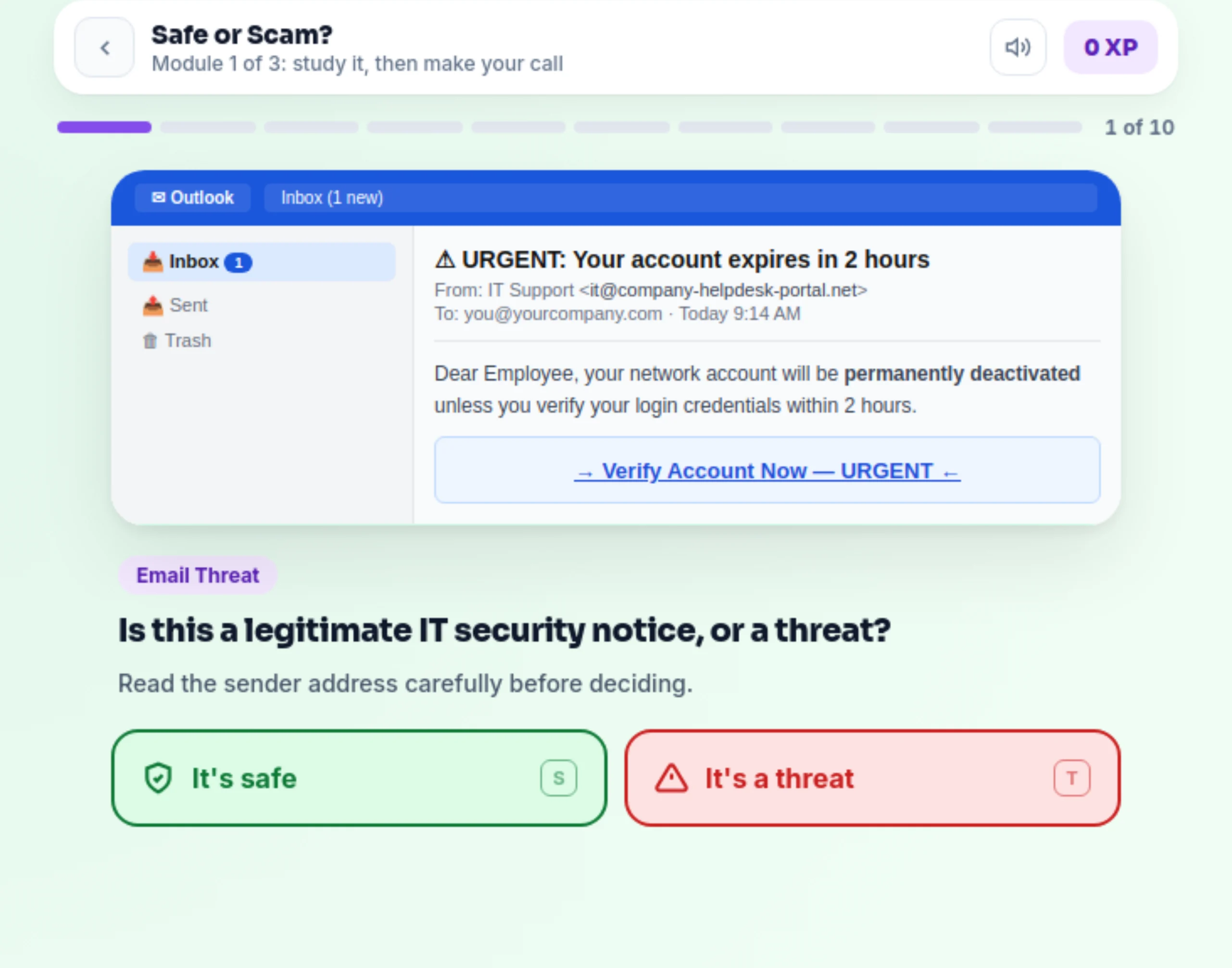
URGENT: Your account expires in 2 hours
Dear Employee, your network account will be permanently deactivated unless you verify your login credentials within 2 hours.
Verify Account Now: URGENT
Is this a legitimate IT security notice, or a threat?
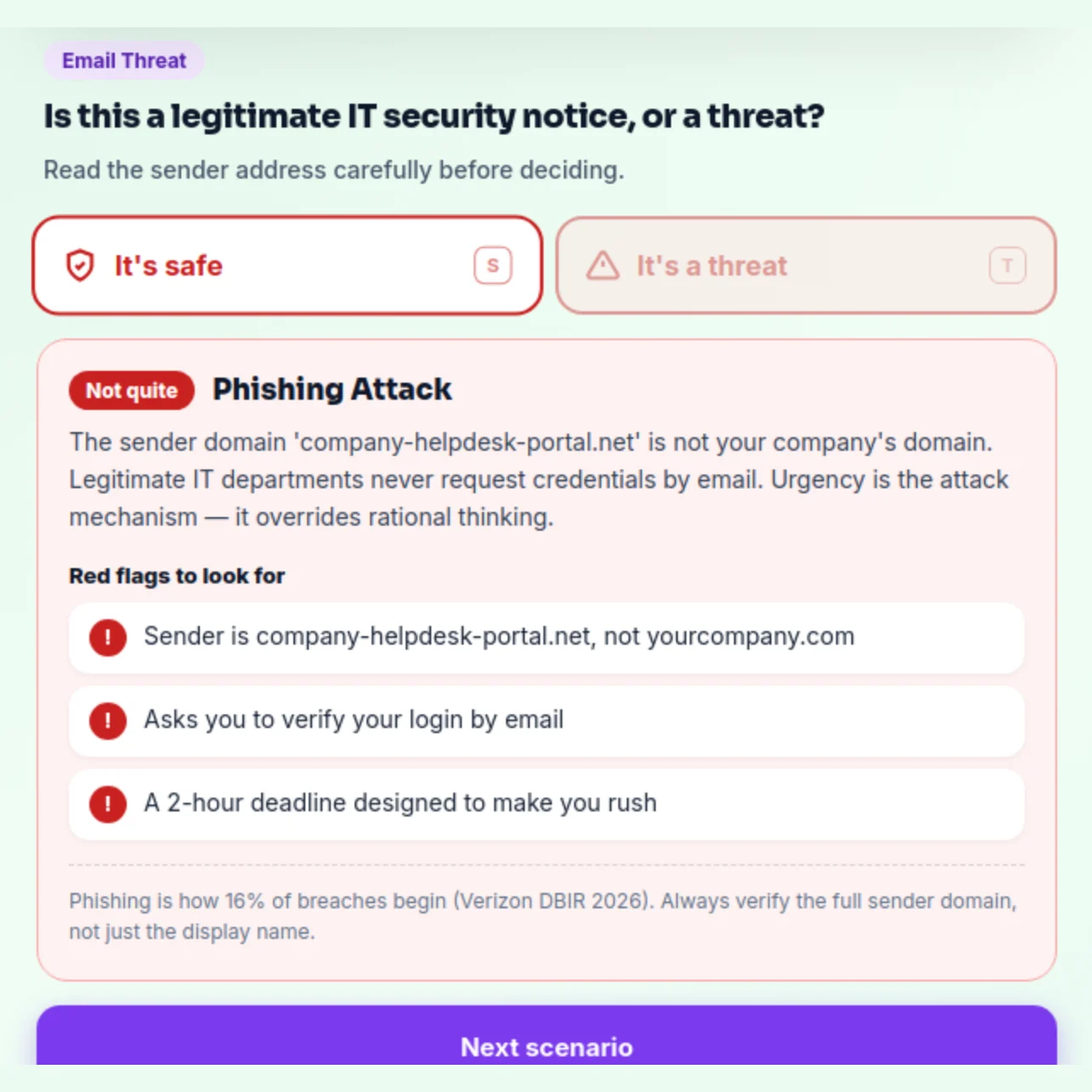
Phishing attack
The sender domain company-helpdesk-portal.net is not your company's domain. Legitimate IT departments never request credentials by email. Urgency is the attack mechanism: it overrides rational thinking.
- Sender is company-helpdesk-portal.net, not yourcompany.com
- Asks you to verify your login by email
- A 2-hour deadline designed to make you rush
yourcompany.com, sign-in request
Approve sign-in?
- Account
- you@yourcompany.com
- Device
- Your work laptop
- Location
- Seattle, WA
- Time
- Just now
You signed in to email 10 seconds ago.
You just signed in to your email. Is this approval request safe to approve?
Legitimate sign-in prompt
You caused this prompt yourself moments ago, and it shows your own device and location. The same prompt arriving when you did not just sign in is an attack: deny it and tell IT, because someone else has your password.
- You signed in yourself, seconds ago
- It names your own laptop and city
- It asks you to approve, not to read out a code or password
04: THE GAME
Three modules, one standard.
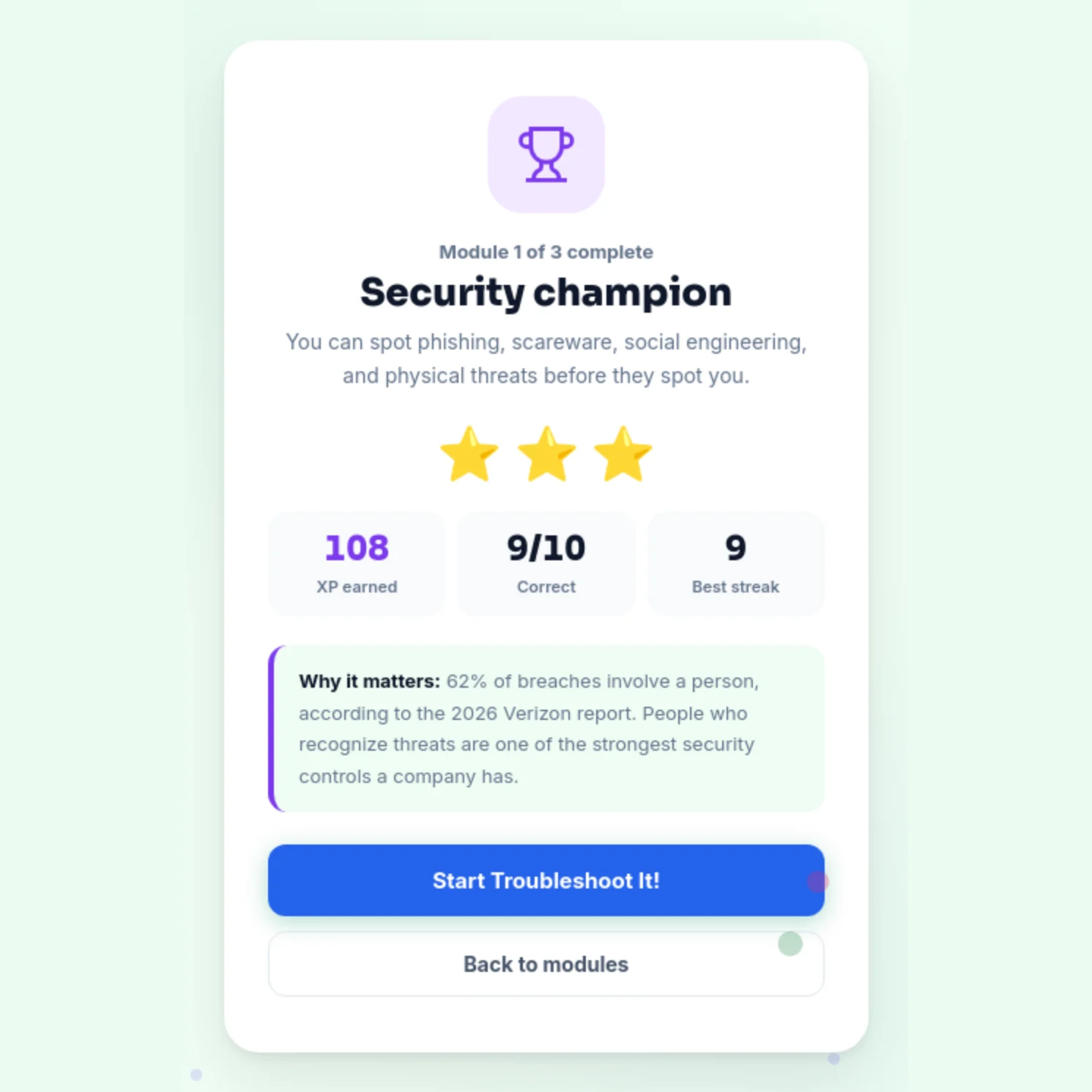
Accessibility, verified. IT Quest passes automated WCAG 2.1 AA testing (axe-core) with zero violations across all three modules, from the home screen to each module's completion. Verified September 2026.
05: OUTCOME
What shipped.
An interactive course for first-year students in introductory IT: three modules and twenty-four scenarios, with ten phishing and security calls, six troubleshooting cases, and eight components to identify by photo. Stars, earned titles and a 360 XP certificate track progress across all three.
It runs in a browser with no install or account, and passes automated WCAG 2.1 AA testing across every module.
What testing with learners showed
Once students had the foundation of how hardware works, they made better purchasing decisions. Given examples of phishing emails, they were more likely not to click unknown links or download unknown software. These are observations from testing, not yet measured results.
06: EVALUATION
What the game can measure, and what it cannot yet.
| Level | Evidence | Status |
|---|---|---|
| 2: Learning | Recorded in the game: accuracy per module, XP against the ninety percent bar, and best streak. The bar is set so that guessing cannot reach it. | Planned |
| 3: Behaviour | Testing with learners pointed this way: students given phishing examples were more likely not to click unknown links or download unknown software (see Outcome). Measuring it in their own inboxes needs follow-up beyond the course and a reporting-rate baseline. | Planned |
| 4: Results | Also beyond the course: fewer compromised student accounts, and fewer help-desk tickets for the faults the game covers. No such data exists yet, so none is claimed. | Planned |
Formative testing
IT Quest was tested with learners. Before release the scoring was also tested against blind guessing, and the bar was raised until a pattern could not pass it. Every screen of all three modules was then scanned against WCAG 2.1 AA, and the colours that failed were corrected in the game itself.
The quickest way to judge it is to try beating it by guessing.