Case Study 06: Workplace Modernization
Microsoft 365 for Three Nonprofits
Three organizations, 75 to 80 staff each, moved to one modern workplace
- 01IdentityEvery person gets one account in Entra ID. Everything else hangs off it.
- 02Mail and filesEmail moved to Exchange Online; files to SharePoint and OneDrive, with the old shares retired.
- 03Systems and sitesBusiness systems and websites modernized to sit on the same identity and the same cloud.
- 04SecurityMicrosoft Sentinel watching the tenant; identity and security administered after go-live, not handed off.
3 organizations moved. 1 identity each person signs in with.
01: ANALYSIS
Small IT budgets, full-size obligations.
- The organizations
- Three nonprofits of 75 to 80 staff each. Donor data, client records and grant reporting, with the IT budget of a small business and the obligations of a much larger one.
- What existed
- Email, files and business systems that had arrived one at a time over the years, each with its own login and its own way of being backed up, or not.
- Who it affected
- Staff who spent time finding files and remembering passwords. Directors who could not say with confidence where their data was or who could reach it.
- The constraint
- No internal IT team. Whatever was built had to be run day to day by people whose job was something else, with me administering identity and security behind them.
The gap, in one picture
Every tool had its own front door.
Three nonprofits, each with email, files, business systems and a website behind separate logins.
First nonprofit
- Files
- Business systems
- Website
Second nonprofit
- Files
- Business systems
- Website
Third nonprofit
- Files
- Business systems
- Website
02: THE PROBLEM
Modernization is not a migration. It is a decision about identity.
- The gap
- Moving mailboxes to the cloud changes nothing if the business systems, the websites and the files still live elsewhere with their own logins. The work was making one identity the center.
- Why a license alone would not fix it
- Microsoft 365 is easy to buy and easy to leave half-used. Without the migration, the clean-up and the training, staff keep the old habits and the old risks.
- What success had to look like
- One account per person. Email, files, business systems and websites reached through it. Security watched centrally. Staff working in the new place rather than beside it.
Stated as a performance gap
Three organizations working across disconnected tools with no central identity or security view. The target: each migrated to Microsoft 365, business systems, websites and email modernized onto it, Entra ID and Microsoft Sentinel administered after go-live.
03: THE DESIGN
Identity first, then everything that hangs off it.
The approach
The same shape three times, adjusted for each organization: identity in Entra ID first, then mail, then files, then the business systems and websites, then security monitoring, with training for staff at each step rather than one session at the end.
01
One identity per person
Entra ID as the source of truth. Joiners, movers and leavers handled in one place, which is where most small-organization security failures start.
02
Mail and files moved, old copies retired
Exchange Online, SharePoint and OneDrive, with the previous mail and file locations switched off so there was one version of everything.
03
Systems and websites brought onto the same ground
Business systems and websites modernized to use the same identity and cloud; applications deployed to Azure App Service where a hosted app was the right answer.
04
Security watched, not assumed
Microsoft Sentinel on the tenant, administered by me on an ongoing basis, so a small organization has the monitoring a large one would.
What each person had to be able to do afterwards
- Sign in
- A staff member reaches mail, files and the business systems with one account.
- Find
- A document exists in one place and the person who needs it can find and share it from there.
- Leave
- When someone leaves, one action removes their access to everything.
04: OUTCOME
Three organizations on one modern workplace.
What was delivered
All three nonprofits migrated to Microsoft 365, with their business systems, websites and email modernized. Entra ID and Microsoft Sentinel administered after go-live; applications deployed to Azure App Service.
Attribution, stated plainly
The advice, the migrations, the modernization and the ongoing administration are the work. Whether staff keep the habits is the adoption question; the method that answers it is in Case 02.
Built separately, for a move like this
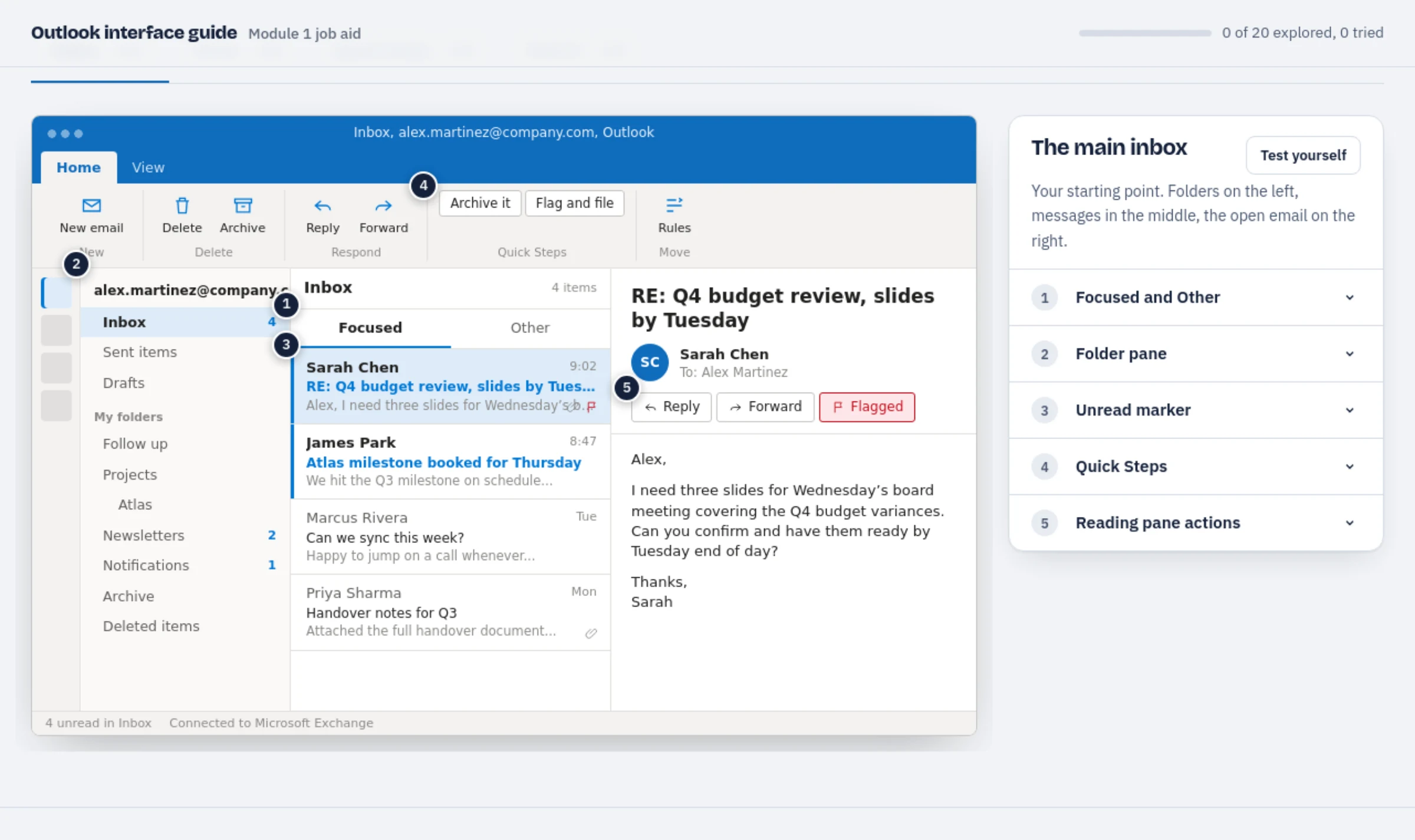
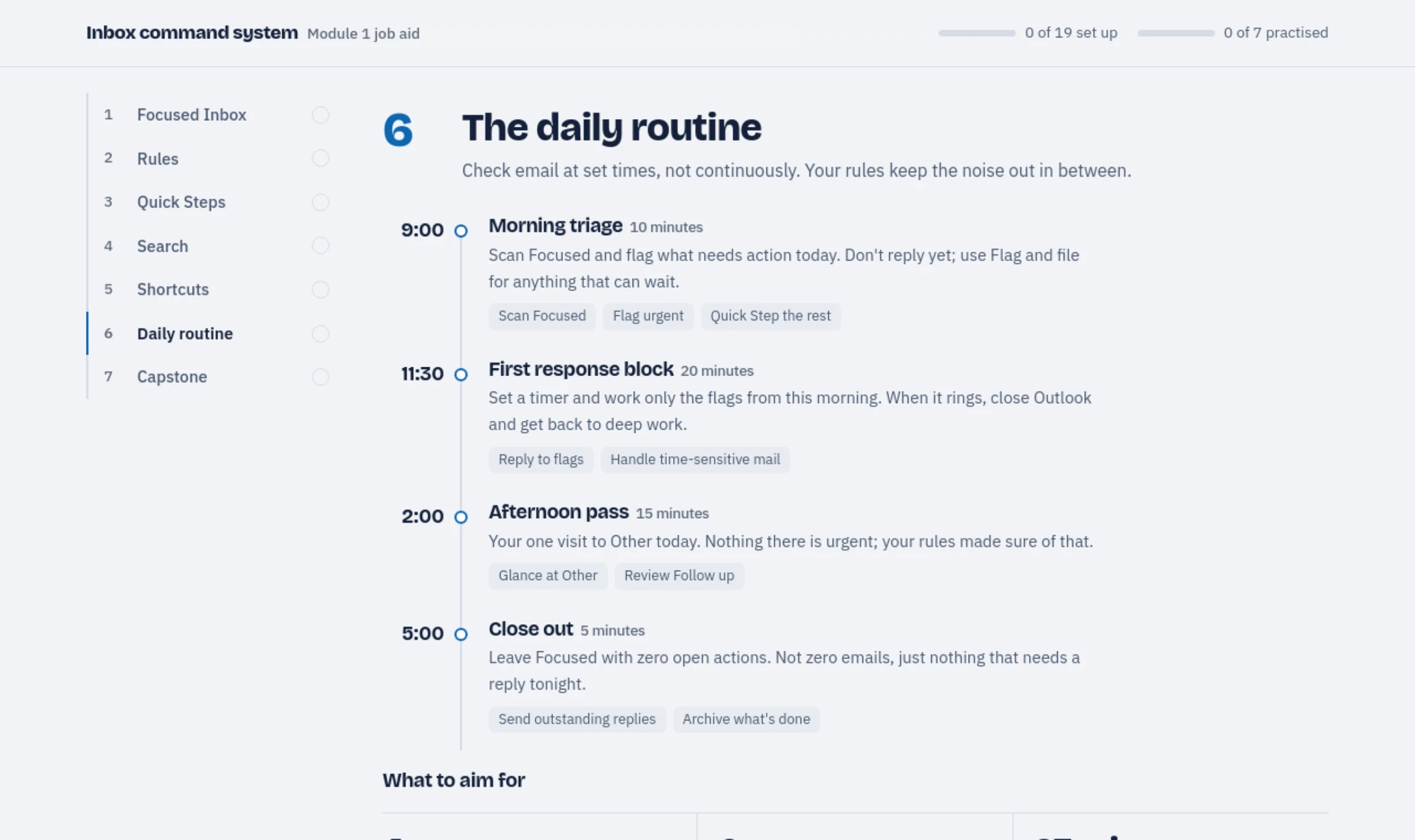
Not part of this engagement. Moving mail to Exchange Online is where old habits survive, so this is the kind of training I build for it: a clickable Outlook guide staff explore on screen, and a job aid that stays on the desk.
05: EVALUATION
Administered is measured.
| Level | Evidence | Status |
|---|---|---|
| Level 1: Reaction | Directors asked for one place for their data and one login for their staff; this is what they asked for. A staff survey after the first quarter is the next measure. | Planned |
| Level 2: Learning | Staff trained at each step, on their own mail and files rather than a demo tenant. | Built in |
| Level 3: Behavior | The tenants are in use and administered: identity and security events handled on an ongoing basis. | Measured |
| Level 4: Results | Support requests and security incidents per organization, before and after. Counted from the first full year on the new tenant. | Planned |
06: WHAT I WOULD DO DIFFERENTLY
Measure adoption from the first month.
The measure
Microsoft 365 reports who is using what. Reading those reports monthly from the first month, the way Case 02 counted weekly AI use, would have shown where staff kept the old habits and let the training follow.
The sequence
Security monitoring went on after the migration. Turning it on at the start, on the old environment, would have given a before-picture of the risks the move removed.
One identity is the modernization. The rest is moving.